Hey there, dear Friends!
Today Communities get a big update: closed clubs, invitations, captions for works, a handier chat and more. Communities are still quite new here, so if you haven't looked into them yet, this is a great moment: start a club around your favorite topic, invite your friends and gather the best tests in one place. Here's what's new.
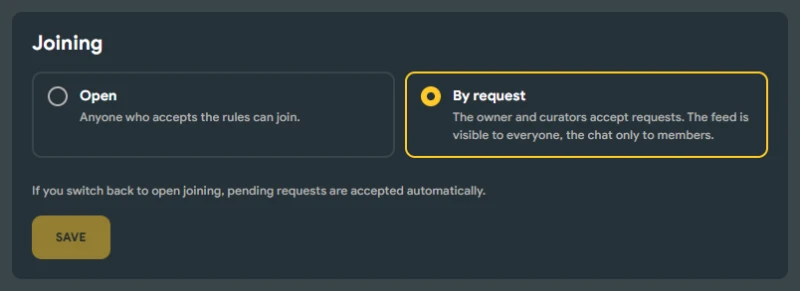
Now the owner decides who gets into the community. The settings have a new "Joining" block with two options: open (as before) and by request:
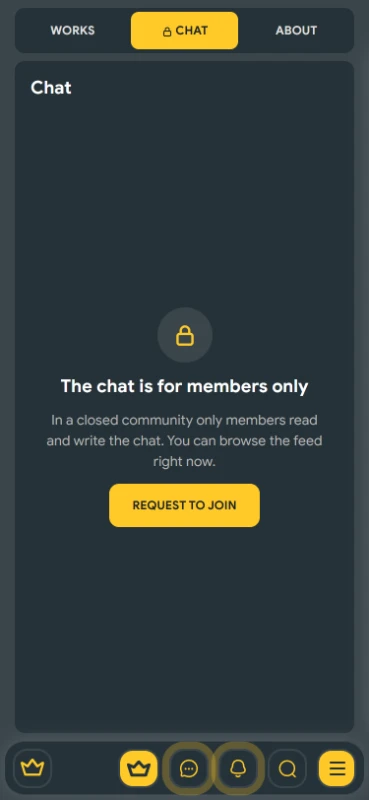
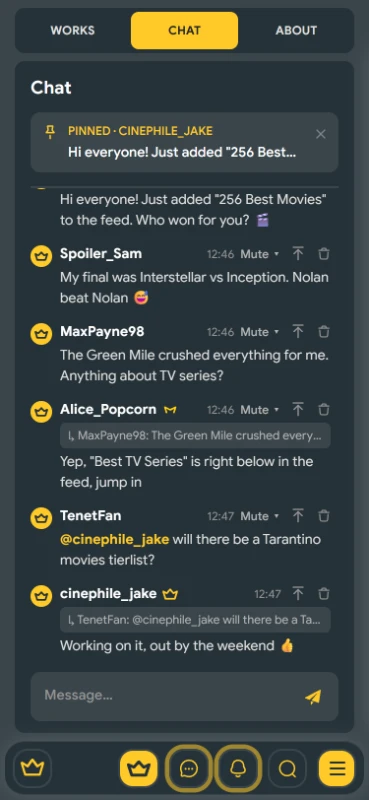
In a closed community, the "Join" button becomes "Request to join", and a "By request" badge appears next to the name. The feed stays open to everyone: you can browse and take the tests without joining. But the chat is for members only, so conversations stay inside the club:
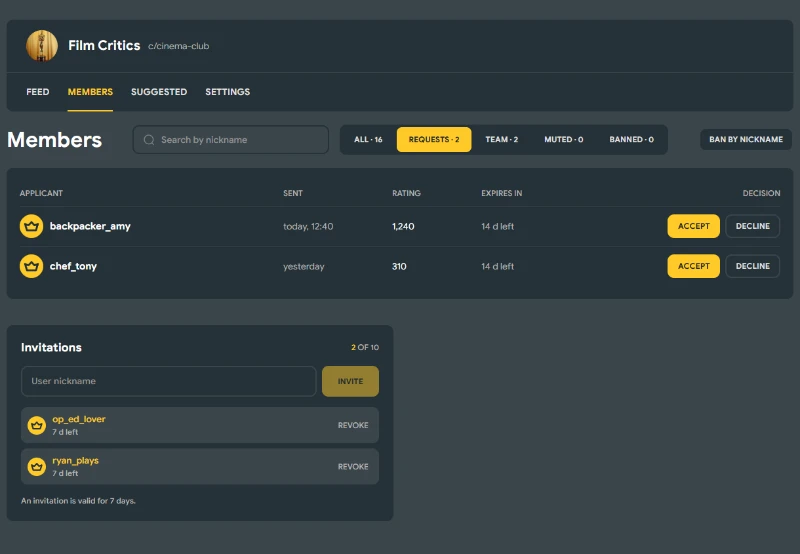
The owner and curators review requests on the members page, in the "Requests" tab. The applicant gets a notification with the decision. If a request is declined, you can send a new one in a week, and a request with no answer closes by itself after 14 days.
Changed your mind and want to let everyone in again? Just switch back to open joining - all pending requests will be accepted automatically.
* * *
Now you can invite someone to a community by their nickname - both open and closed ones. The owner and curators can do it on the members page or with the new person icon next to "Suggest content".
The invited user gets a notification and can join right from it with one button:
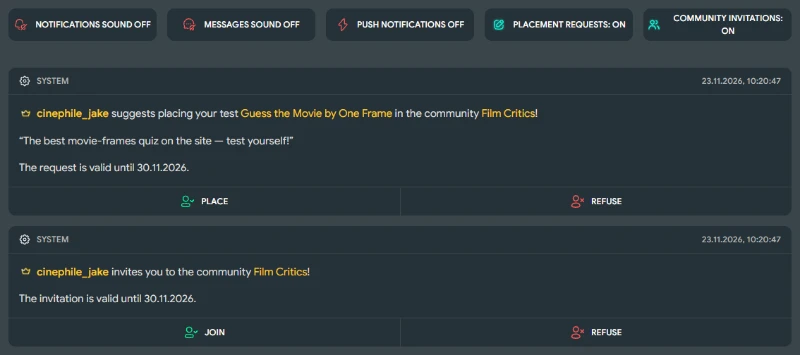
An invitation is valid for 7 days, and a community can have up to 10 active invitations at once. An unanswered invitation can be revoked.
If you don't want invitations, you can turn them off on the notifications page - then nobody will be able to invite you.
* * *
Before, only works suggested by their authors got into communities. Now the owner or a curator can find a great test or post and ask the author to place it in their community. There's a new "Request a work from its author" button in the "Suggested" section: paste a link, add a few words for the feed if you like - and that's it:
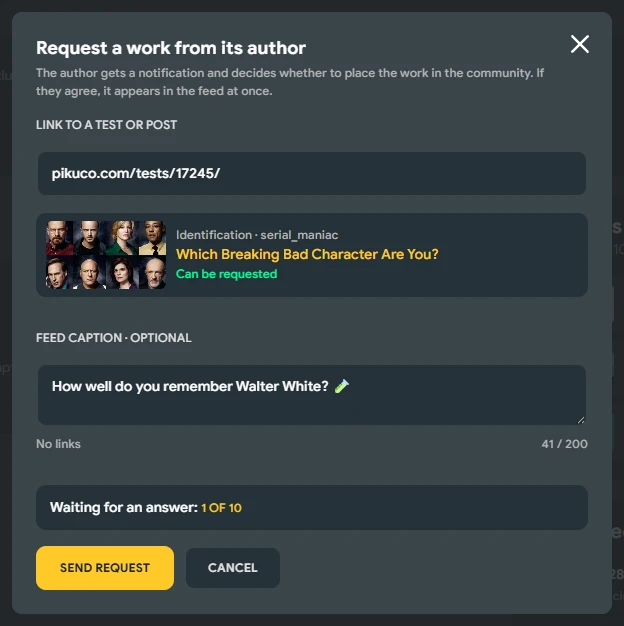
If a work can't be requested (it's already in another community, takes part in a contest, or the author doesn't accept requests), you'll see why right under its card.
The author gets a notification with "Place" and "Refuse" buttons. Once they place it, the work appears in the community feed right away, with no queue. And you can follow the answers in the "Requests to authors" panel:
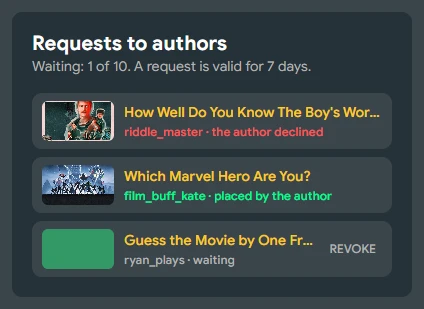
To keep this from turning into spam, there are some limits:
* * *
A work in the feed can now have a short caption above it - up to 200 characters, no links. For example, "The most controversial tierlist of the week - come argue in the chat" or "Start here if you're new".
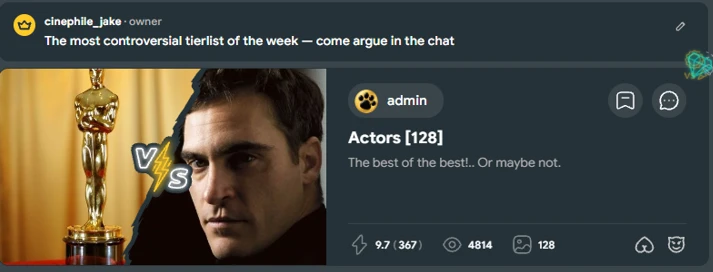
Authors can add a caption when they suggest a work. A curator approving it decides whether to keep the author's caption or write their own. And for works already in the feed, the owner and curators have a pencil button - a caption can be added or edited at any time.
* * *
* * *
* * *
And now quick answers to your likely questions:
* * *
Give Communities a try - create your own or join one you like, and tell me in the comments what you think and what you'd like to see there next. Thanks for reading!


Share:
Bestcomments (0)
There are no comments for this post yet. Want to leave the first one?