Hello, dear friends!
Today I decided to please you again with a fresh update, or rather two at once. I can't resist, let's look at them as soon as possible!
Embedding videos in questions
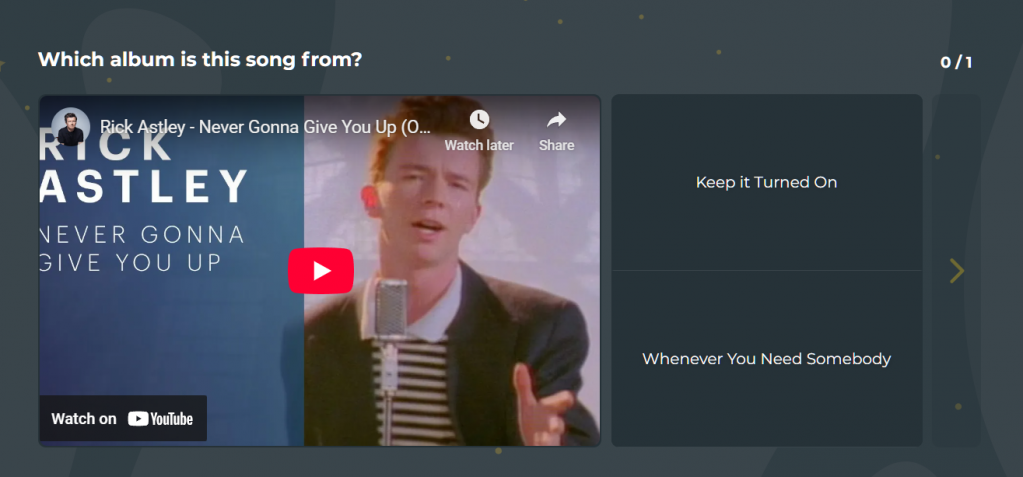
This idea has been in the air since the implementation of "Name That Tune", so we decided to add it. Now you can embed Youtube videos in your test questions.
All types of tests are supported (quizzes, identifications, diagrams, text quests). To use the feature, simply switch the question to the "Video" mode in the test editor.:
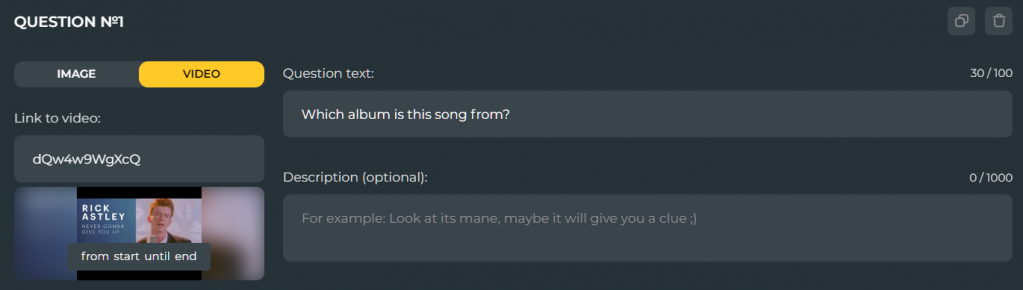
And now for a more experimental feature...
Timer questions in quizzes!

Yes, you got it right: now you have the opportunity to make the test more intense and interesting by setting a time frame for each question.:

Let me immediately answer some questions that you may have:
- The timer is set for each question separately and at will;
- The minimum limit is 10 seconds per question.
- Using the "Step Back" function during the passage will not reset the timer, and it will also be deactivated if the response time has run out;
- In audio issues, the timer will start counting down after the sound starts playing. From the video - after uploading the video.
- In ordinary questions with a picture and text, the timer starts counting down immediately.
- If the time for answering is over, the user gets zero points for completing the question and is transferred to the next one (by the way, check out the timer animation, we tried very hard);
Finally, this feature is currently intended only for quizzes, adding it to other types of tests will depend on whether it will be widely used.
I hope that reading this news has already brought you new interesting ideas. I want to say that on this note, the current marathon of test functionality updates has come to an end.
This does not mean that we decided to take a break, it's just that now we have to pay attention to the rest of the functions of our website.
There's even more good news ahead, so keep your finger on the pulse. Thanks for your attention!

